
Your next set, explained.
WODAN Workout is a training log for strength and cardio. Plan your week, log what you actually did, and see progress compared on matching equipment and settings.
Currently in private testing on iPhone through TestFlight. Joining the waitlist registers your interest; it doesn't guarantee access.
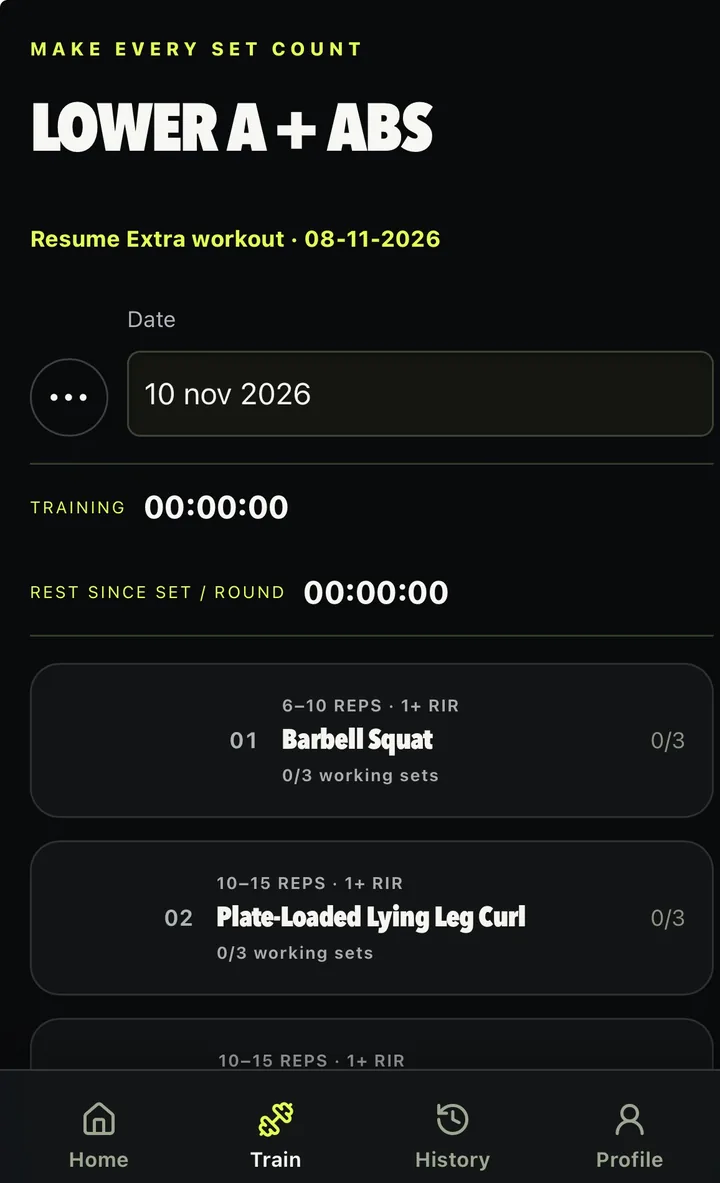
Less guesswork between sets.
WODAN keeps your log tidy, shows how your next target was worked out, and compares progress only with sets done under the same conditions.
-
Know your next target
See a suggested weight, rep count and effort for each set, with a short note on how it was worked out from comparable sets you've logged. You decide what to lift, and you record what really happened.
-
Keep your training clear
Working sets, warm-ups, supersets and rest timers in one calm log. Swap an exercise or change the sets for today only, or for every future session of that workout in your programme.
-
See progress in context
Charts and tables per exercise, filtered by equipment, load, reps in reserve and extra eccentric load. Sets with unknown settings stay separate, so you compare like with like.
Plan. Log. Understand.
-
Build your plan
Pick your training days, choose Homegym or Gym and select your equipment. WODAN sets up a starting plan, and you can edit the exercises, sets and rep ranges.
-
Log your training
Enter the weight, reps and effort you actually performed. Fill in your previous or suggested values when they fit; anything you've already typed stays as it is.
-
Understand your progress
Follow each exercise over time, set up your dashboard the way you like it, and look back on your last completed week.
Take a look inside.
Real screens from the current iPhone beta. Details may change while we test.
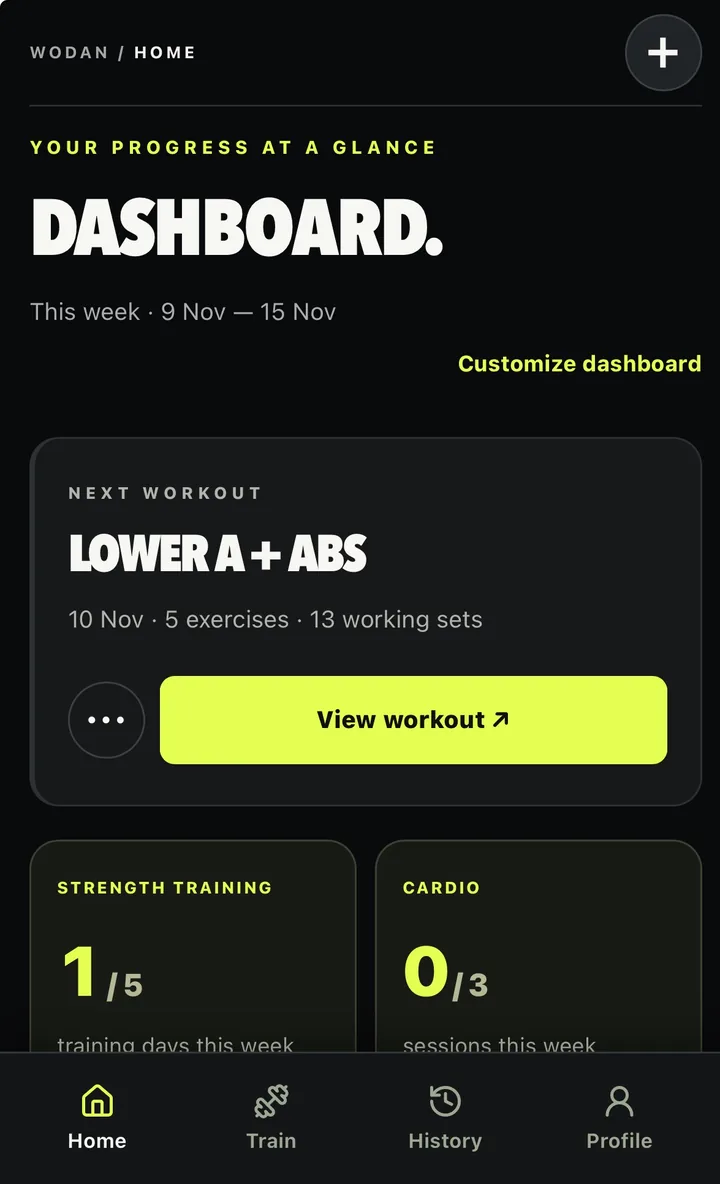
Your week at a glance
See your next workout and how many training days and cardio sessions you’ve done this week. The weekly review looks back on your last completed Monday to Sunday and compares it with your current goals where that’s relevant.
- Start your next workout from the home screen
- Add cardio with the plus button
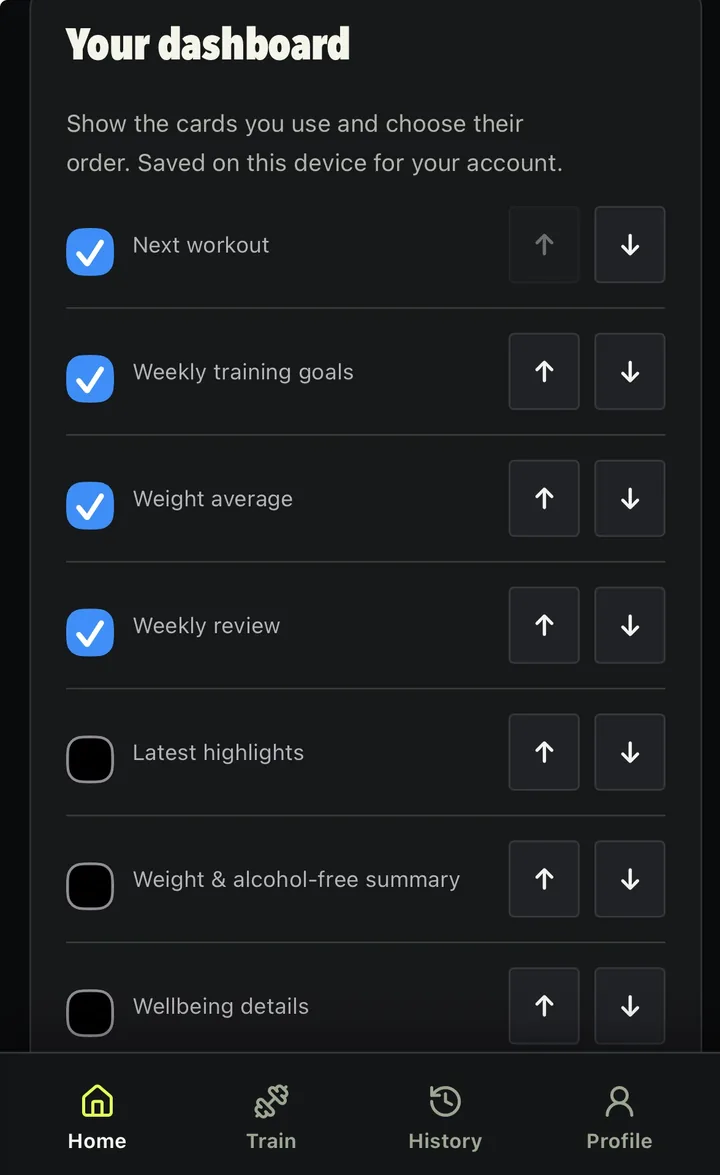
Show what you use, in your order
Switch dashboard cards on or off and move them up or down: next workout, weekly training goals, weight average, weekly review, highlights and more. Your layout is saved on your phone and included in your full backup.
- Hide the cards you don’t need
- Reset to the default layout at any time
Today’s workout, step by step
Each exercise shows its rep range, RIR target and how many working sets you’ve done. Open it to log weight, reps and RIR, with a suggested target for every set and a short explanation of how it was worked out.
- Training timer and rest timer on screen
- Warm-ups are kept out of working sets and PRs
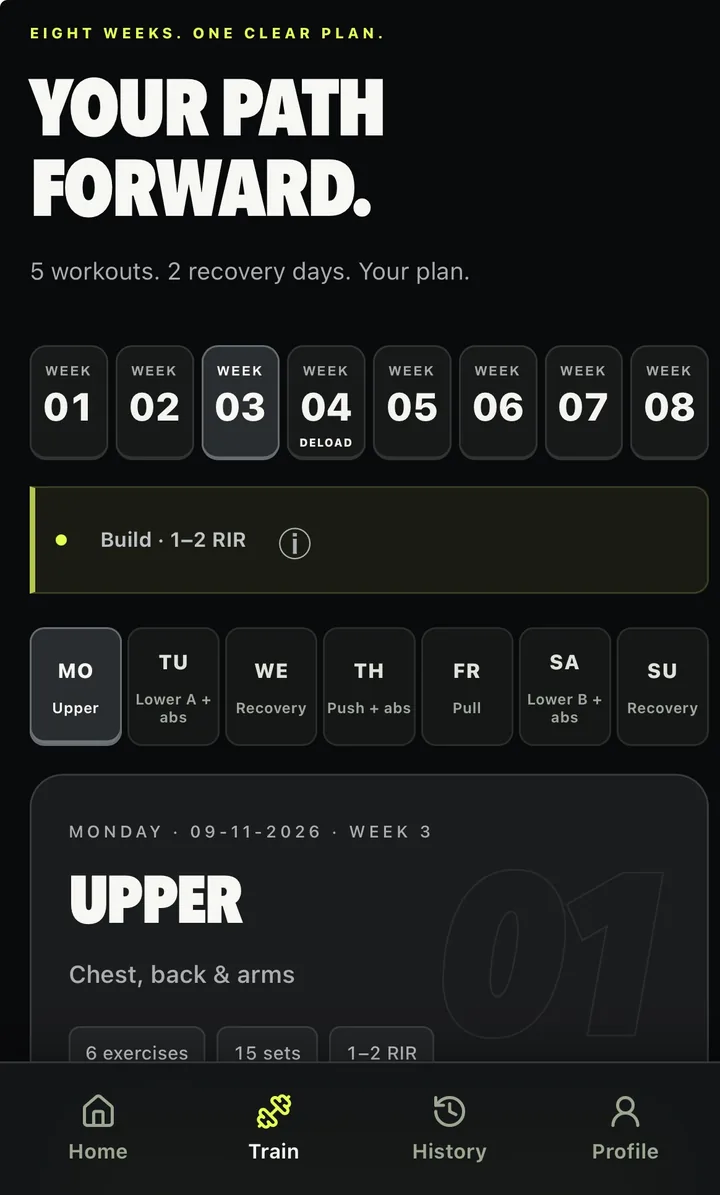
Eight weeks, one clear plan
Your programme runs as an eight-week block with a deload week. Each week has its own focus and RIR range, and each day shows what’s on, from the muscle groups to the number of exercises and sets.
- Five workouts and two recovery days in this example
- See any week and day ahead of time
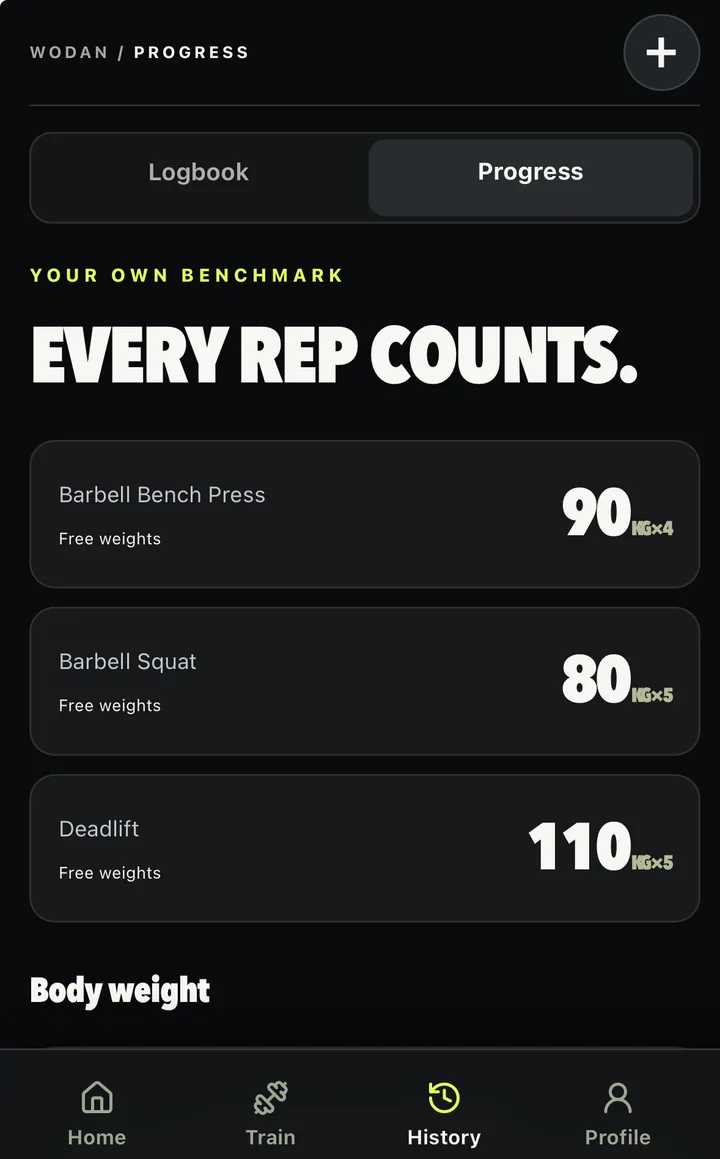
Your own benchmark
Your best sets per exercise, labelled by equipment, plus your body weight over time. Exercise charts and tables let you filter by equipment, eccentric setting, RIR and load.
- Compare with your own history, not someone else’s
- Unknown settings are kept separate
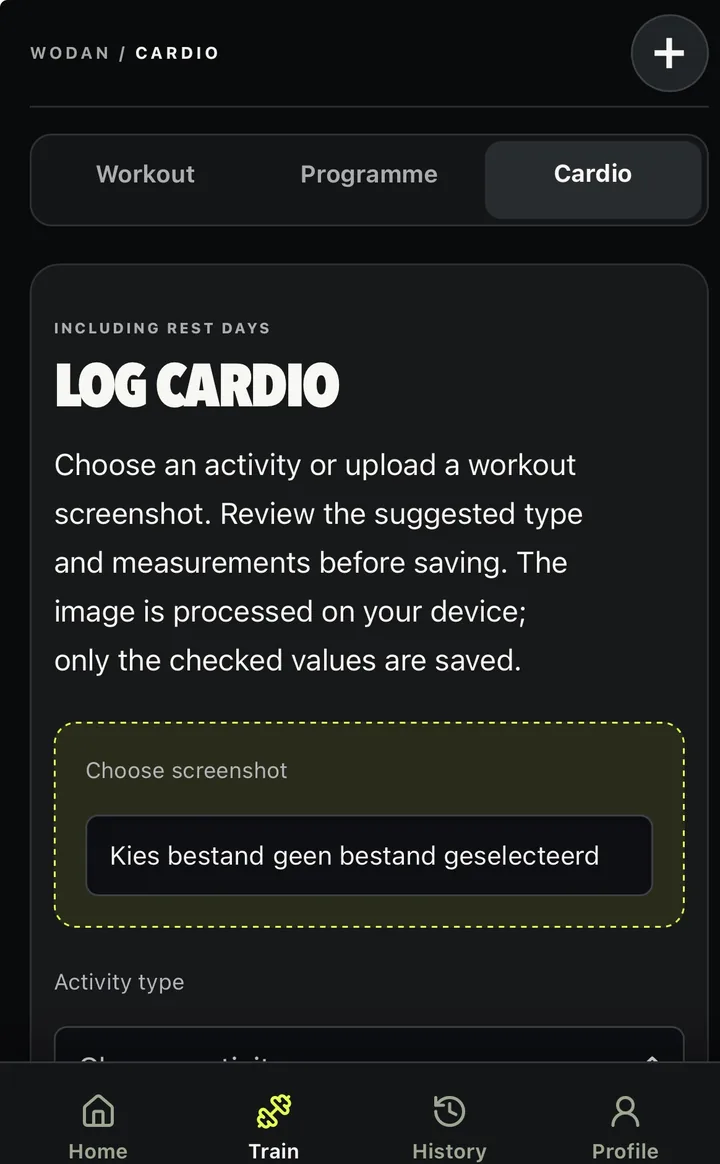
Cardio in the same log
Choose an activity or upload a workout screenshot. You review the suggested activity type and measurements before saving. The image is processed on your phone, and only the values you’ve checked are saved.
- Running, cycling, rowing, swimming and more
- Log cardio on rest days too
Home gym, big gym, or out on the road.
-
Home gym and gym
Choose Homegym or Gym to filter exercises to the equipment you have. Progress can be filtered by equipment and context, so a press at home isn't mixed up with a machine press at the gym.
Separate named profiles for several gyms aren't available yet.
-
Extra eccentric load
Training on equipment that adds load to the lowering phase? Log the setting with the set. WODAN keeps those performances apart from your regular sets, so your charts stay comparable.
-
Cardio
Log runs, rides, walks, rowing and more next to your strength work. What you can record depends on the activity and on what you enter or confirm from a screenshot.
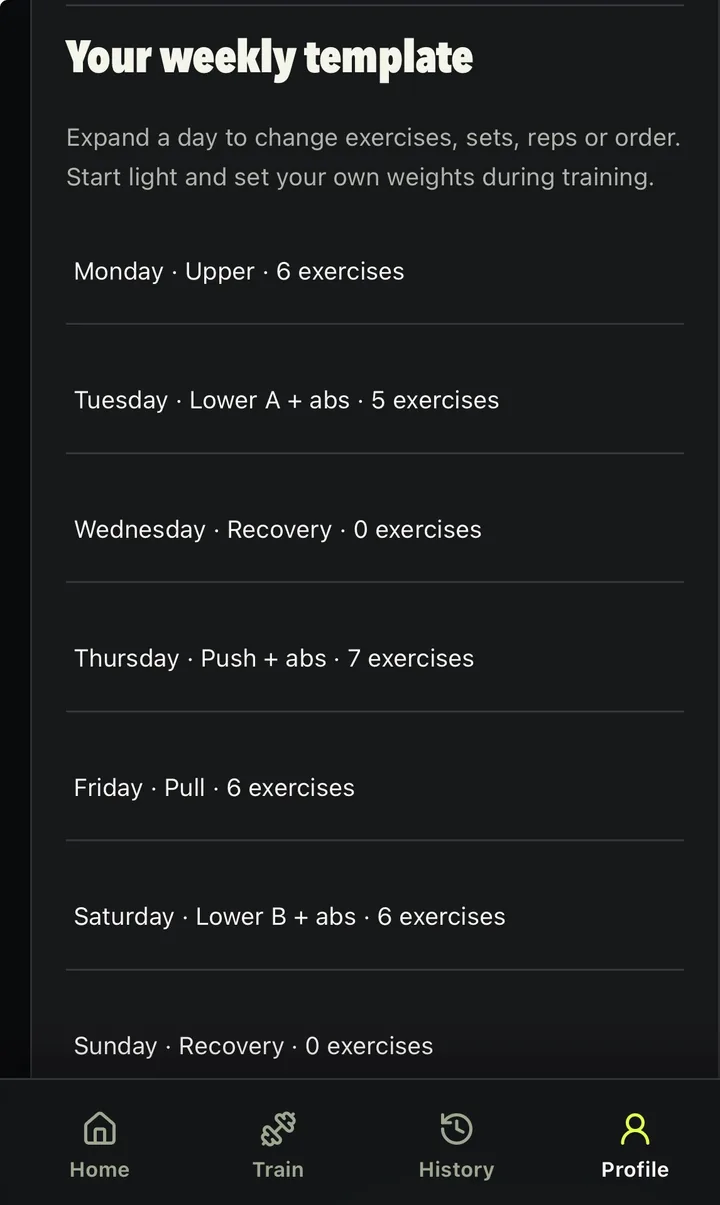
A week that fits your training.
Choose Homegym or Gym and the equipment you have, and WODAN puts together a starting plan. Then expand any day to change its exercises, sets, reps or order. Start light and set your own weights as you train.
- Body weight and daily notes
- Export your results to Excel
- Full JSON backup export
- Entries saved on your phone, backed up to your account when connected
Help shape WODAN Workout.
We're testing WODAN with a small group of iPhone users through TestFlight. Join the waitlist to hear about future beta access. Invited testers get free access to the app during the beta, in exchange for their feedback.
Join the beta waitlistJoining the waitlist doesn't guarantee access or a launch date.
Now In the private beta
- Editable strength plans with home gym or gym equipment
- Set logging with RIR, warm-ups, supersets and rest timers
- Suggested set targets with an explanation
- Progress charts, cardio logging and a weekly review
Not yet Planned or unavailable
- Standalone WODAN accounts and Sign in with Apple (planned, not active yet)
- Public App Store release
- Android
Good to know.
Is WODAN Workout available now?
WODAN is in private testing on iPhone through TestFlight. Places are limited, and invited testers use the app for free in exchange for feedback. You can join the waitlist to hear about future beta access, but joining doesn't guarantee an invitation.
Can I download it from the App Store?
Not yet. There's no public App Store release. We'll update this site when that changes.
Can I create my own training plan?
Yes, within the current programme structure. You choose your training days and equipment, WODAN generates a starting plan, and you can edit the exercises, sets and rep ranges. The current programme runs as an eight-week block.
What do the set targets mean?
They're suggestions, based on comparable sets you've logged and the rep and RIR targets in your programme. You decide what to perform and record what you actually did. With little history, suggestions are more limited.
Does it support cardio?
Yes. You can log running, walking, cycling, indoor cycling, rowing, swimming, elliptical, stair climber and other cardio. The measurements depend on the activity and on what you enter or confirm from a screenshot. A workout screenshot is processed on your phone, and only the values you've checked are saved.
Can I train without a connection?
Entries are saved on your phone and backed up to your account when you're connected. Opening the app from scratch while offline has limitations in the current beta, so not every offline situation is supported yet.
Can I export my data?
Yes. You can export your results to Excel and export a full JSON backup.
Does it connect to other fitness apps?
Not at the moment. You can enter cardio yourself or let WODAN read values from a workout screenshot, which you check before saving.
What does it cost?
Invited beta testers get free access to the app during the beta, in exchange for their feedback. Pricing after the beta hasn't been announced yet.
Join the beta waitlist.
Leave your email and we'll let you know when there's news about beta access on iPhone.